Ensuring that all people can fully access educational content is key to effective learning.
Overlooking accessibility creates barriers that can exclude certain users and leave skill gaps within an organization. To avoid this, accessibility should be integrated from the very beginning of any course or educational material. Planning early allows you to manage teams, resources, and timelines effectively. While authoring tools like Articulate Storyline now include accessibility checkers, accessible design is never automatic—it requires thoughtful, intentional choices.
According to the Web Content Accessibility Guidelines (WCAG), accessibility is categorized into three levels—A, AA, and AAA—based on how fully content meets specific criteria.These guidelines are an excellent starting point when assessing a client’s accessibility needs. Regardless of a project’s scope or format, the following best practices can help make your content more inclusive.
Good practices to make your content more accessible
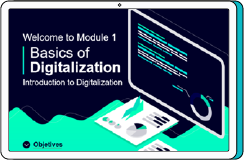
1. Clear structure and simple navigation
Use hierarchical titles and subtitles to organize content. This improves readability and ensures smooth navigation, especially for people using screen readers.
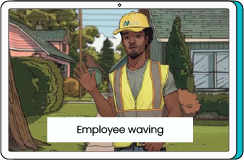
2. Alternative text for images
Provide brief, meaningful descriptions of images so users who cannot see them can still access the information they convey.
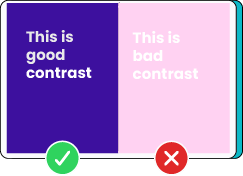
3. Proper color contrast
Ensure sufficient contrast between text and background colors to support users with low vision and improve overall readability.
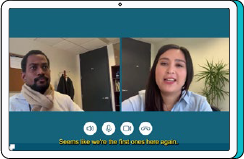
4. Subtitles and transcripts
Include subtitles in videos and offer transcripts for audio content. These features support people with hearing loss and benefit anyone who prefers reading or is in a noise-restricted environment.

5. Avoid relying on color alone
Use icons, patterns, labels, or additional text to convey important information so that content remains understandable for users with color blindness.
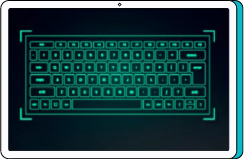
6. Keyboard compatibility
Confirm that all interactions can be completed without a mouse. Keyboard shortcuts and navigation keys should allow users to move through the content with ease.
At Third Term Learning, we apply these and many other strategies throughout our development process to ensure accessible, effective learning experiences for all. Incorporating accessibility best practices not only helps meet international standards—it elevates the learning experience for everyone.
Interested in strengthening accessibilityin your courses? Let’s talk!